Laravel Cloud vs. Self-Hosting on VPS

Laravel Cloud provides fully managed Laravel hosting with built-in autoscaling, zero‑downtime deploys, and managed databases, significantly reducing the ops overhead compared to running a self‑hosted VPS. It’s the best option for productive developers who want to ship Laravel applications without the slowdown of managing infrastructure.

Laravel Cloud vs Self-Hosting on VPS illustration

Laravel Cloud

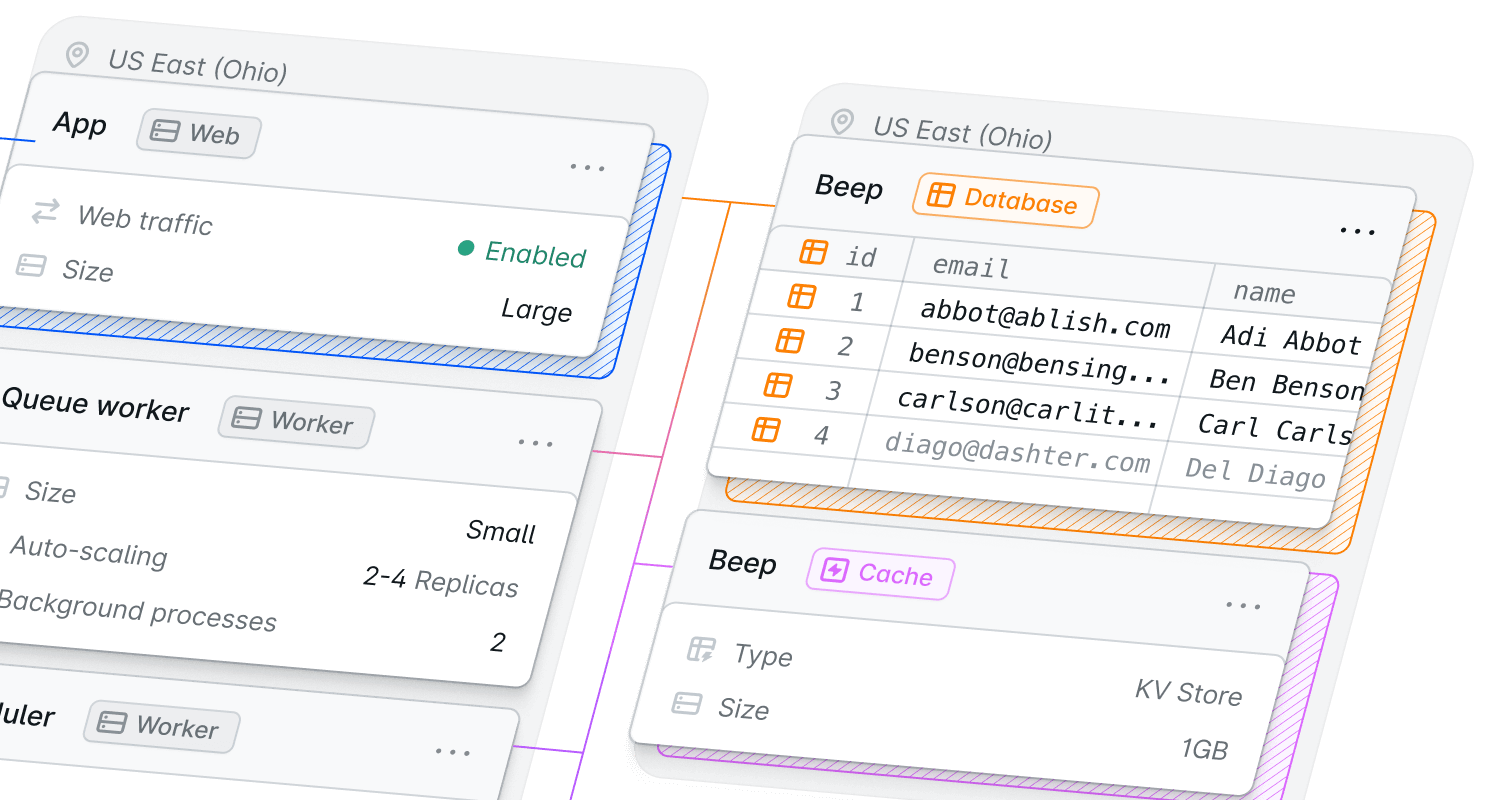
Laravel Cloud is a fully managed hosting platform built by the Laravel team for Laravel applications. It automates everything from server provisioning to scaling to security, so developers can focus on building and shipping.

  • Check Deploy from Git in under a minute, with zero server setup or config.
  • Check Automatic autoscaling and managed replicas keep performance steady during traffic spikes.
  • Check Managed databases, Redis-compatible caching, SSL, and backups reduce ongoing ops work.

Self-Hosting (VPS/Dedicated)

Self-hosting means running your Laravel app on your own servers or VPS (virtual private server) and doing all the setup and maintenance yourself. With self-hosting, you must configure the server (OS, PHP, web server), install and manage databases, cache stores, and queue workers, and handle deployments, backups, updates, and scaling manually.

  • Check Full control over OS, networking, and custom configurations for specialized requirements.
  • Check Lower raw hosting fees at scale, but developer time for setup, maintenance, and incidents usually raises the true cost per project.
  • Check Flexible tooling and vendor choice, letting you run nonstandard services or custom infrastructure.

Over 20K teams deploy faster with Laravel Cloud

Why Laravel Cloud is better than
self-hosting

Check Deploy in under 60 seconds, moving from Git to live with minimal setup.

Check Automatic scaling and zero downtime for peace of mind, especially during traffic peaks.

Check Cost-efficient pay-as-you-go model, avoiding the fixed monthly fees of continuously running a server and hidden DevOps costs.

I love the dashboard. I can control everything and see it in real time. I can’t imagine my platform without Cloud. Everything I do just works.”

Alexander Michailidis

Alexander Michailidis

CEO at Gnarlux

Stop wasting time on infrastructure and start building your next project

Still on the fence between fully managed Laravel hosting or spinning up your own VPS?

Laravel Cloud vs Self-Hosting on VPS illustration

Read the comparison guide: Laravel Cloud vs. Self-Hosting on VPS

By registering, you acknowledge that Laravel Cloud will process your personal information in accordance with our Privacy Policy .

Laravel Cloud compared to Self-Hosting on VPS

Laravel Cloud outperforms self-hosting on a VPS by allowing development teams to reduce time to market while scaling reliably without DevOps overhead. Starter Kits are available to further expedite building.

Key differences

A fully managed platform built by the Laravel team, purpose-built for Laravel apps with one-click autoscaling, databases, caching, storage, and security.

A general-purpose server environment that requires full manual setup, configuration, and maintenance.
You're responsible for installing dependencies, managing updates, and ensuring performance and security.

Purpose-built for Laravel
Check

Built and maintained by the Laravel team for Laravel apps

X

General server; Laravel must be configured manually (install dependencies, extensions, etc.)

Framework support

Laravel only (built for Laravel)

Any PHP application (Laravel, WordPress, etc.), other languages depending on OS

Server management
Check

Fully managed; no SSH or server config required

X

You manage OS updates, security patches, web server config, PHP versions, and more

Integrated caching and queues
Check

Managed Redis-compatible key-value store and queue workers auto-provisioned

X

Must install/configure Redis, Memcached, Supervisor, etc., and maintain them yourself

Infrastructure control

Limited (fully managed PaaS)

Full control (root access, networking, firewall rules, etc.)

Performance and scalability

Designed for high concurrency and variable traffic. It automatically adjusts resources (replica count) to handle load, with instant scaling and load balancing. This ensures consistent response times even under traffic spikes.

Performance depends on the server size and your tuning. A single VPS has fixed CPU/RAM, so sudden traffic surges can overwhelm it. You can scale by upgrading the server or adding more instances, but this is manual and can involve downtime.

Deployment speed
Check

Under 60 seconds from Git with automatic builds and zero downtime rollouts

X

Manual or CI setup needed; typically requires provisioning, SSH/FTP uploads, or pipelines with downtime risk

Automatic scaling
Check

Built-in autoscaling up or down based on traffic, with load balancing

X

No built-in autoscaling; must manually or manage your own load balancer resize

Cloud Provider choice

AWS (fully managed by Laravel Cloud)

You can choose your provider of choice

Deployment

Deploys directly from your Git repo with a single click. Cloud automatically runs builds, migrations, and restarts with zero downtime . Developers can deploy in seconds without writing any deployment scripts.

You must set up your own deployment pipeline (for example, using GitHub Actions), which can take minutes or more. Many traditional setups rely on manual file uploads or SSH commands. Without careful configuration, deployments often require putting the app in maintenance mode, which causes downtime.

Git integration
Check

Zero-config Git deployment (connect GitHub/GitLab and deploy instantly)

Tilde

Possible via custom CI/CD, but requires manual setup of pipelines or hooks

Monitoring and security

Includes built-in monitoring and logs in the dashboard. You get real-time insights into HTTP traffic, CPU/RAM usage, and can easily search application logs. Optional Laravel-specific monitoring with Laravel Nightwatch can be enabled with minimal setup.

You must install and configure your own monitoring tools. Common approaches include running an APM (like New Relic or Datadog), setting up system metrics (Prometheus, Grafana), or using log aggregation. This requires additional maintenance and often incurs higher operating costs at scale.

Monitoring and analytics
Check

Real-time infrastructure monitoring, HTTP analytics, logs, and app metrics (CPU & memory charts, plus database metrics)

Check

Must install or integrate third-party monitoring or manually inspect logs

SSL & CDN
Check

Automatic TLS certificates; includes Cloudflare CDN for caching and security at edge

X

SSL via Let's Encrypt or manual install; CDN must be configured separately (Cloudflare or other)

Backups
Check

Daily automated database backups with point-in-time recovery

Check

Backup strategy up to you (snapshots or custom scripts); often coarser retention

Pricing

Follows a pay-as-you-go model (Starter plan has no fixed fee). Your app auto-hibernates when idle, significantly reducing costs for apps with intermittent traffic. Engineering is often a project's biggest expense, and Laravel Cloud significantly reduces DevOps costs, empowering teams to focus on shipping.

Calculate your usage and pricing.

Costs are typically fixed by the server plan and often exclude the human hours spent managing infrastructure, which increases the cost of each project.

Pricing model

Pay-for-what-you-use with monthly fees for all plans, except Starter

Self-hosting may look cheaper upfront, but you'll still pay in time and tools (server costs, monitoring, etc.)

Who should choose Laravel Cloud vs. Self-Hosting?

Laravel Cloud outperforms Cloudways with faster deployments, autoscaling, and zero server management.

Laravel Cloud

Laravel Cloud

Choose Laravel Cloud if you want a fully managed, Laravel-native platform that removes server management entirely. It is ideal for teams that want to focus on development without DevOps overhead.

Cloudways by DigitalOcean

Cloudways by DigitalOcean

Choose Cloudways if you prefer control over your infrastructure and host multiple types of PHP applications beyond Laravel.

Deploy now with Cloud

  • Launch in under a minute from Git to live with fully managed infrastructure.

  • Build and ship faster with native Laravel integration across your stack.

  • Scale and save costs automatically with built-in auto-hibernation.

Laravel Cloud handles what Cloudways still makes you manage

Trusted by developers, startups, and enterprises

Join thousands of developers and companies around the world.

“Laravel Cloud makes it easy to demo projects to clients. I can deploy a fresh app in seconds. You only pay for what you use, letting you focus on business value instead of infrastructure.”

Peter Steenbergen

Search & GenAI Specialist, Elastic

Peter Steenbergen

“Laravel Cloud has saved us thousands of dollars per month and eliminates the need for a dedicated engineer to monitor our server.”

Sam Pizzo

CEO, CMS Max

Sam Pizzo

“Laravel Cloud is the next generation platform for powering Laravel applications. This is the future of infra for PHP devs.”

Rafael Lunardelli

CTO, Devsquad

Rafael Lunardelli

“Onboarding was smooth. UI is eye candy. Tinkering with scaling, replicas and resources is seamless.”

Bradley Bernard

Software Engineer, Snap

Bradley Bernard

“Selected my repo, hit deploy, and boom. 60 seconds later my site was ready! I didn’t even have to configure anything.”

Duncan McClean

Software Developer, Statamic

Duncan McClean

“Wow, Laravel Cloud is very smooth! Took almost no time to deploy a Filament app with database and custom domain.”

Silvan Hagen

Developer & Consultant

Silvan Hagen

“The first deployment is as easy as possible: connect your git, and boom, your page will be online.”

Tim Geisendoerfer

CEO & Founder, Innoge

Tim Geisendoerfer

Frequently asked questions

Laravel Cloud is a fully-managed platform built by the Laravel team for Laravel applications. It automates the entire infrastructure stack (servers, databases, cache, scaling, SSL, etc.). Self-hosting means you provision and run your own server(s) or VPS. With self-hosting, you're responsible for all setup: installing PHP/MySQL, configuring Nginx, setting up queue workers, backups, and more. In short, Laravel Cloud automates and simplifies everything, while self-hosting gives you full control but requires manual management.
Yes. Laravel Cloud runs on optimized infrastructure with fast networking and autoscaling. It is designed to handle high loads efficiently. A well-configured VPS can be fast, but self-hosted performance depends on your instance size and configuration. Under heavy load, Laravel Cloud can instantly add replicas, whereas a fixed-size VPS may slow down. Also, Laravel Cloud's edge network and caching (via Cloudflare) can improve global response times.
Completely. With Laravel Cloud, no server setup or maintenance is needed. The platform provisions servers, applies security patches, scales resources, and handles networking for you. On a self-hosted server, you must manage the OS, PHP updates, web server settings, security patches, and troubleshooting.
Not out of the box. Self-hosting generally requires manually upgrading a server or adding more servers when more capacity is needed. You could implement autoscaling groups on AWS or similar, but that takes significant DevOps work. Laravel Cloud has built-in autoscaling: you simply set a max replica count, and the platform scales automatically.
It depends on usage patterns. On Cloud's Starter plan, you don't pay a subscription fee, only for actual usage. Other plans have subscription costs, but they all benefit from auto-hibernation and pay-as-you-go pricing, meaning you only pay when your app is actively serving requests.
Laravel Cloud is purpose-built for Laravel, providing the most seamless experience. It supports Laravel queues, schedules, and Eloquent by default, and integrates with Laravel's ecosystem tools. With self-hosting, you can run Laravel, but you'll need to configure services yourself (install Redis, scheduler, etc.). If you prefer to focus on writing Laravel code and want Laravel-native tooling, Laravel Cloud is better. If you need to run multiple types of services or have an existing server workflow, self-hosting might fit your workflow.
Yes. Laravel Cloud offers fully managed MySQL and Postgres databases and Redis-compatible key-value stores that you can provision in seconds. These are integrated and automatically backed up. With self-hosting, you must install and run your own database servers and cache (or use a managed database service), and handle backups and updates yourself.
Laravel Cloud makes Git deployment trivial: just connect your GitHub/GitLab repo and deploy. It's one step. No additional setup is required on Laravel Cloud for Git. With self-hosting, you need to configure a deployment workflow. You might set up Git hooks, a CI/CD pipeline, or use tools like Laravel Envoy or Forge. This takes time and can be error-prone if not automated.

Learn more about Laravel Cloud

Ready to ship?

Let’s build the incredible together, with Laravel