

Setting a spending limit
To set a spending limit, go to your Organization -> Settings -> Billing -> Spending Limit, and enter a monthly amount. There is no minimum or maximum value.
Alerts only
By default, a spending limit acts as a notification threshold. Laravel Cloud sends alerts as your spend approaches the limit, at 50%, 80%, and 90% of the amount, and your resources keep running normally even after the limit is exceeded. This option keeps you informed without ever interrupting your applications. Alerts are sent via email to the organization’s admins and billing contact. You may also enable Slack notifications in a channel of your choice from Organization -> Settings -> Notifications.Alerts with compute shutdown
For a hard cap, enable the Stop all compute option in addition to alerts. With this enabled, Laravel Cloud still sends the approaching-limit alerts, but when your organization reaches the limit, new resource provisioning stops and your running app, database, and cache compute are paused. In-flight operations are allowed to finish, so a small overage is possible.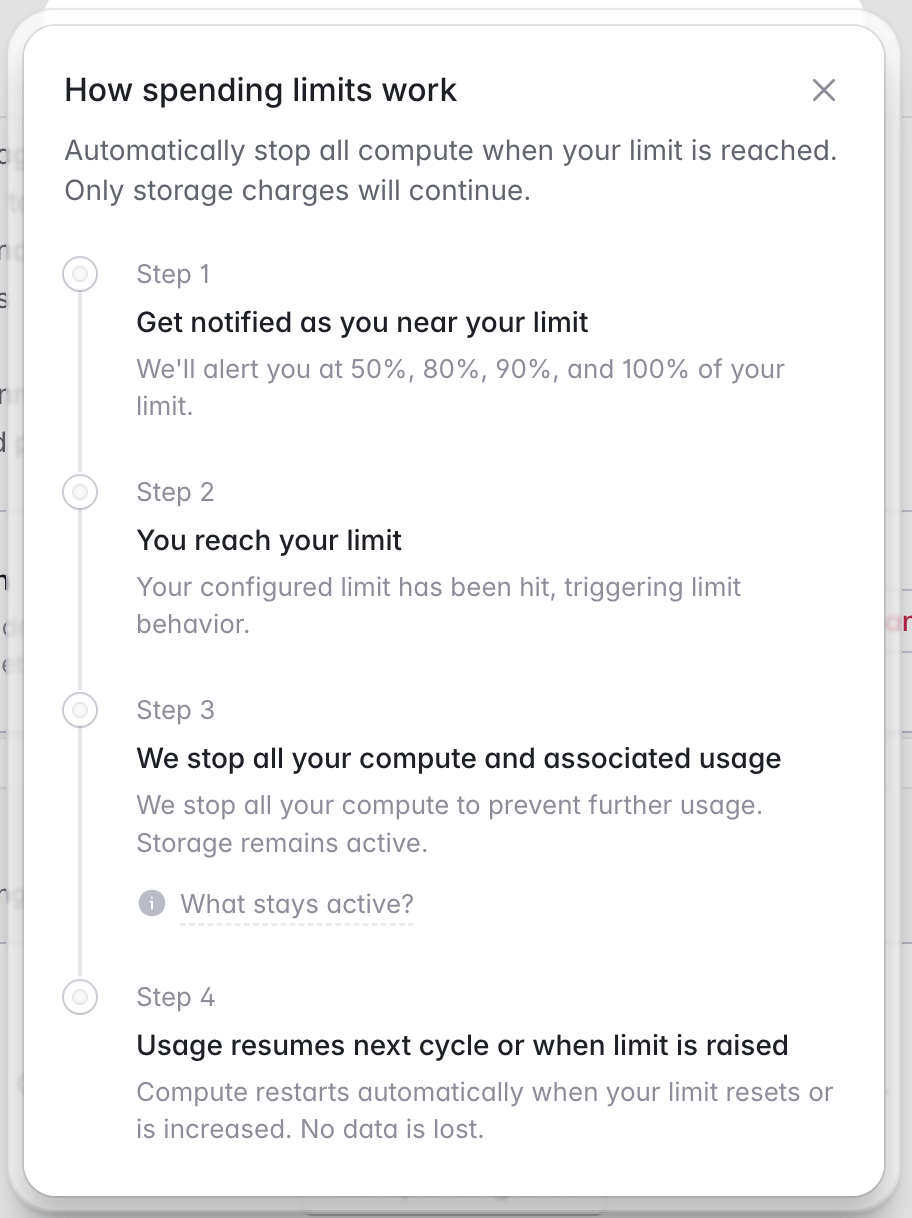
Object storage and database storage remain active even when compute is stopped, so your data is preserved and you can resume quickly. Because storage stays active, your final bill may slightly exceed your spending limit.